
An easy fix for office syndrome: hold your mouse and keyboard correctly
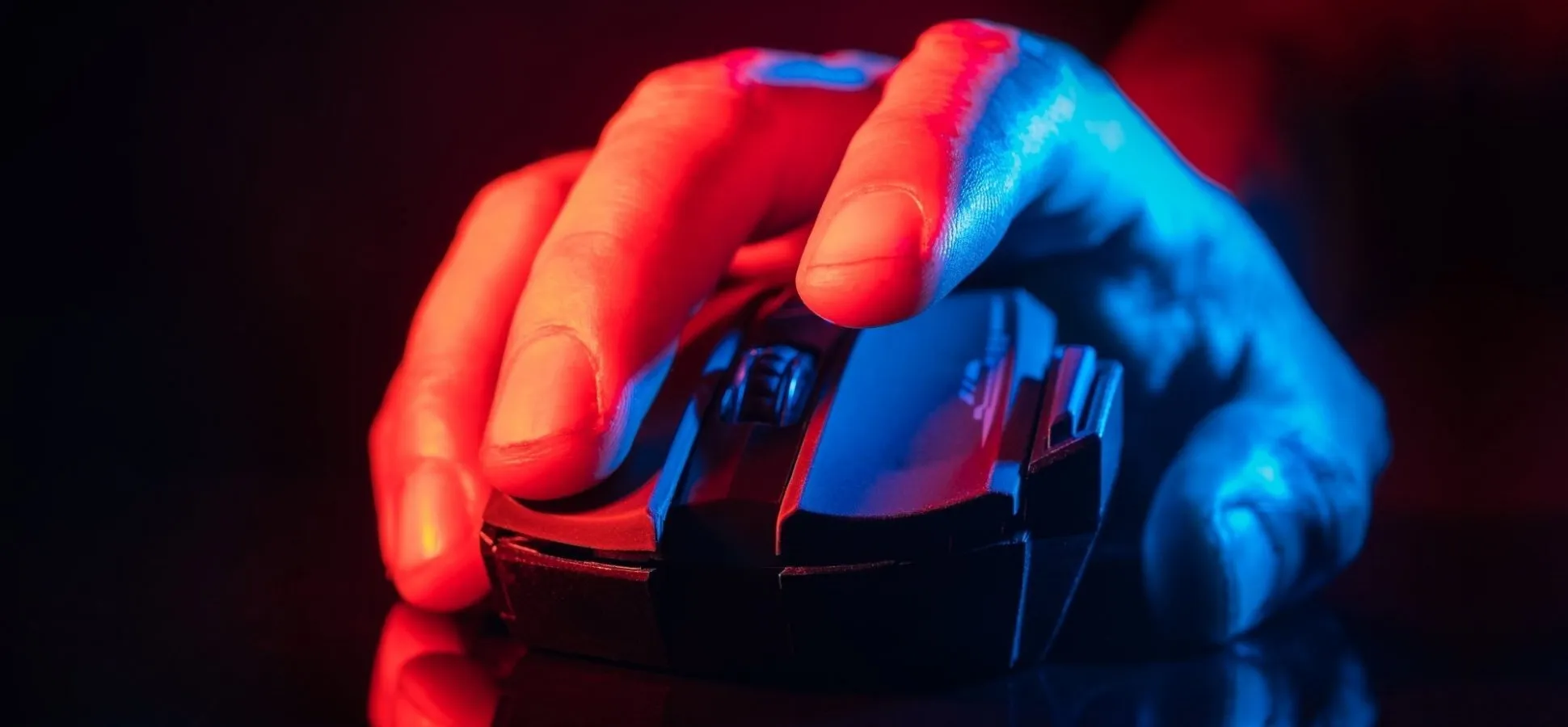
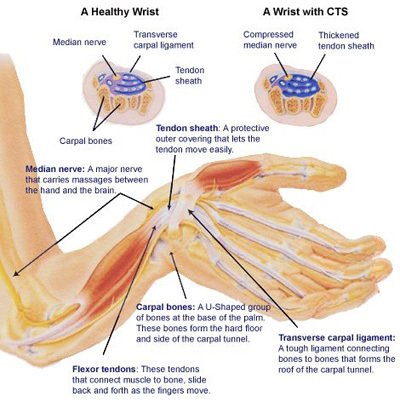
The mouse and keyboard are essential tools for using a computer or playing games. Using them involves repetitive wrist and finger movements, which overwork and tire the small muscles involved. This leads to wrist pain and numbness in the thumb and index finger, which may develop into carpal tunnel syndrome (CTS).
Keeping the wrist bent upwards for long periods compresses the median nerve, which supplies the hand muscles. This can lead to pain, numbness and, eventually, muscle wasting.
Choosing the right mouse and keyboard, positioning yourself properly, and taking care in how you use your muscles and body can therefore help reduce the risk of injury.
Let's look at the three ways of holding a mouse, known as mouse grips
1. Palm Grip
- The mouse is moved using the wrist and forearm.
- The advantage is that you can hold the mouse for long periods without your hand getting tired.
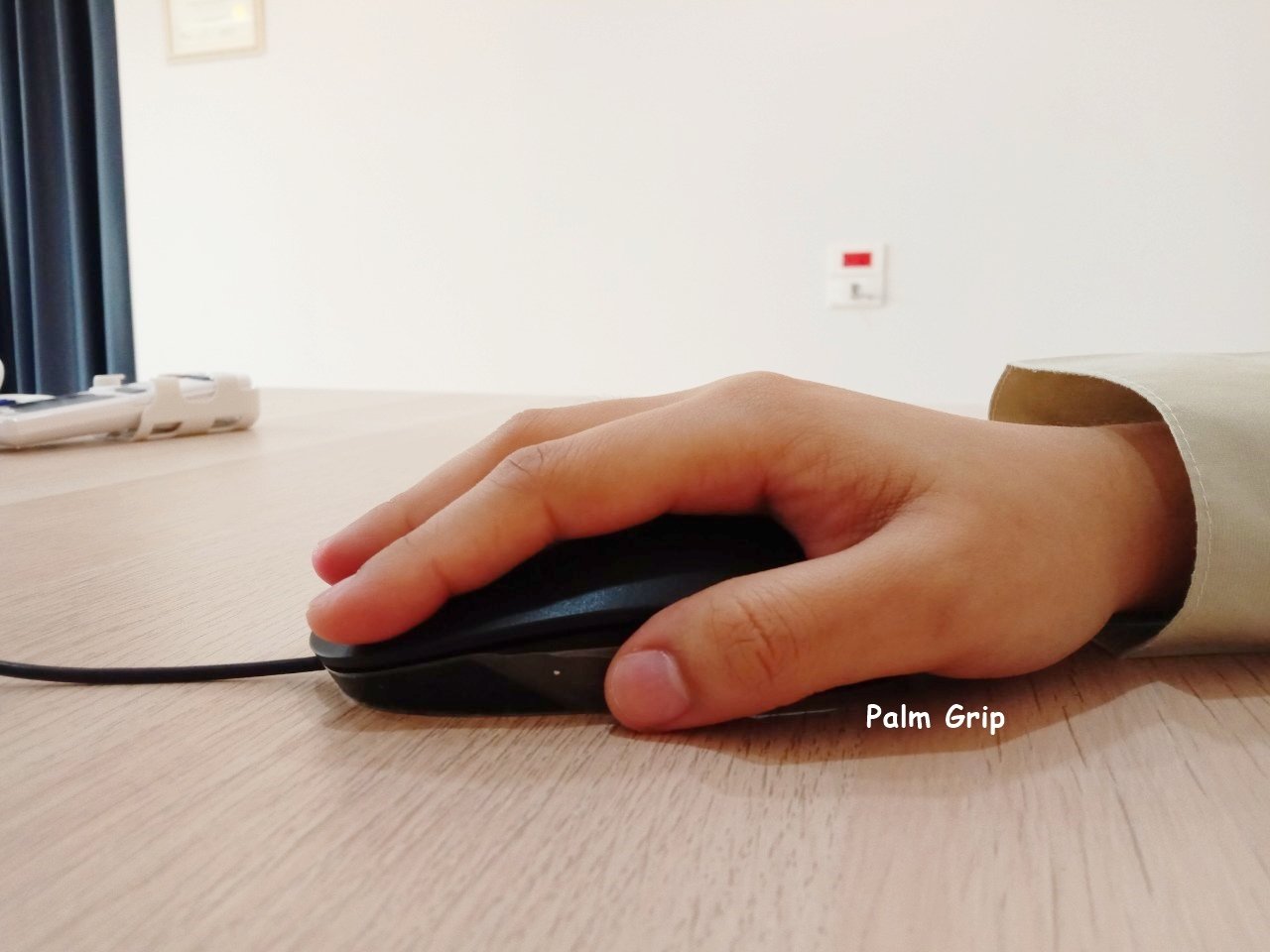
2.Claw Grip
- The advantage of the claw grip is that you can click faster, because the pressure comes from the fingertips alone, which requires less effort.
- Holding the mouse with your fingertips makes it easier to control direction.
- People who use a claw grip tend to get tired fingers more easily than with a palm grip.
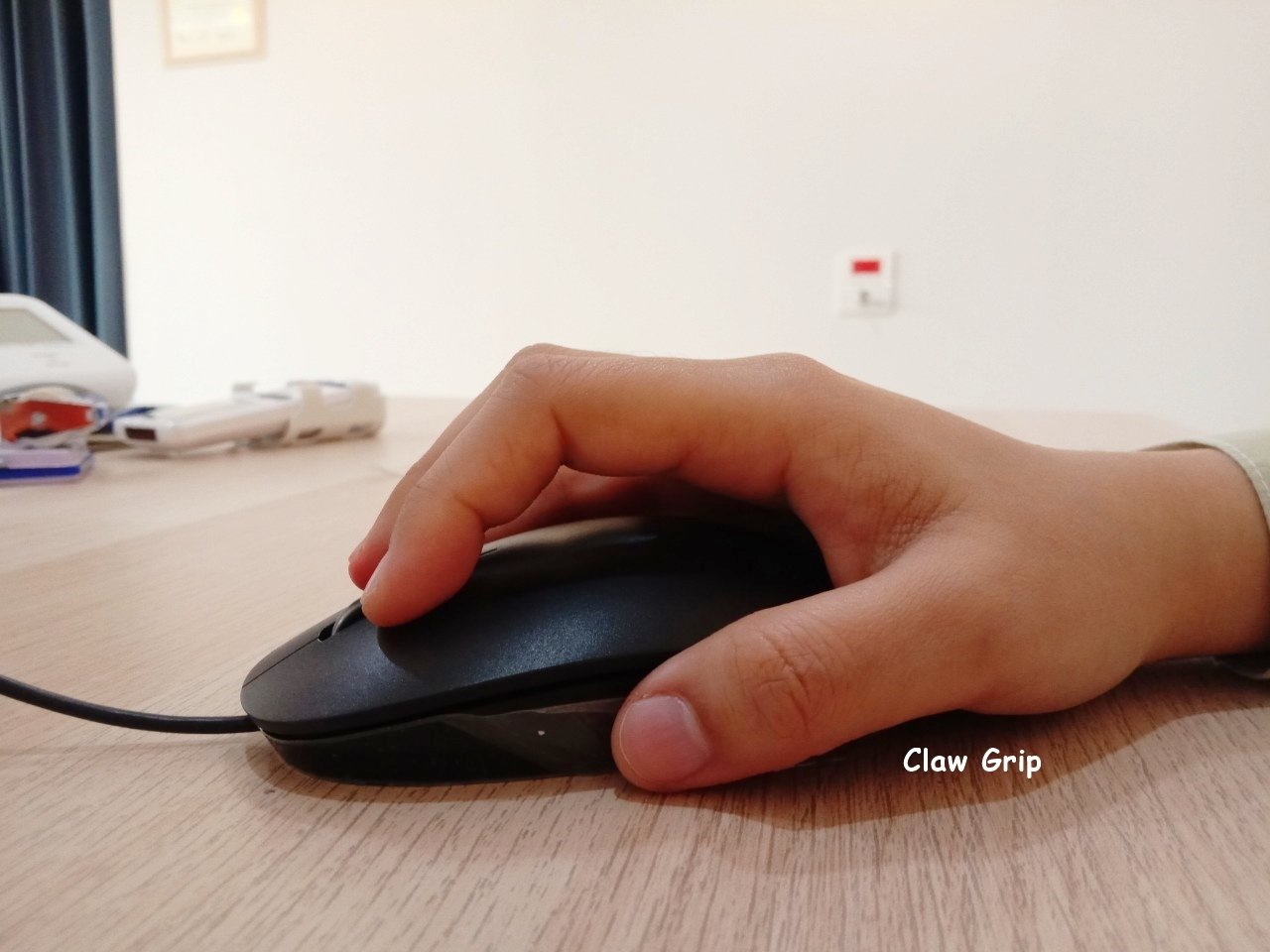
3.Fingertip Grip
- With this grip the palm does not touch the mouse; instead you hold it with all five fingertips, and you also move the mouse and control its direction using only your fingertips.
- This grip lets you move the mouse faster than other grips.
- The disadvantage is that your hand tires most easily compared with other grips.
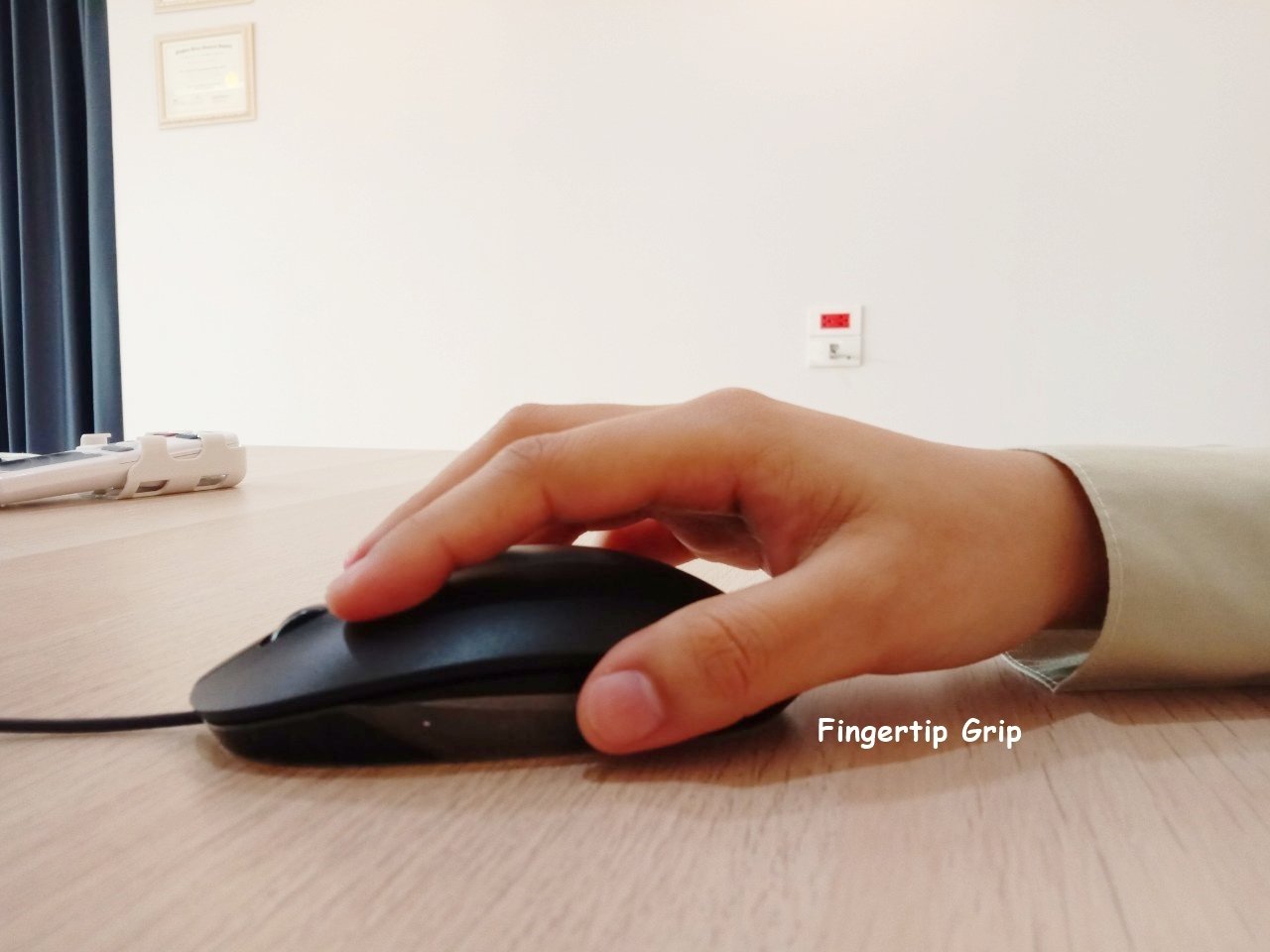
Ranked by risk of injury, from lowest to highest, the mouse grips are: Palm Grip < Claw Grip < Fingertip Grip
The best grip is number 1, the Palm Grip, which carries a low risk of wrist injury.
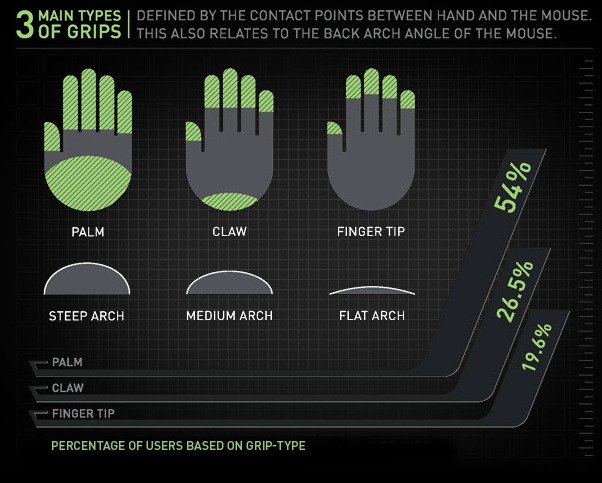
However, to prevent injury from using a mouse:
1. Hold the mouse with your wrist in a normal, straight position, without bending it upwards.
2. Place a rolled-up towel under your wrist, or use a mouse pad with a gel or foam wrist support.
3. Choose a mouse that fits your hand and supports its natural curve. A mouse that is larger than your palm makes you use the larger arm muscles rather than the smaller wrist muscles, which leads to fatigue and bone deformity.
Keyboard
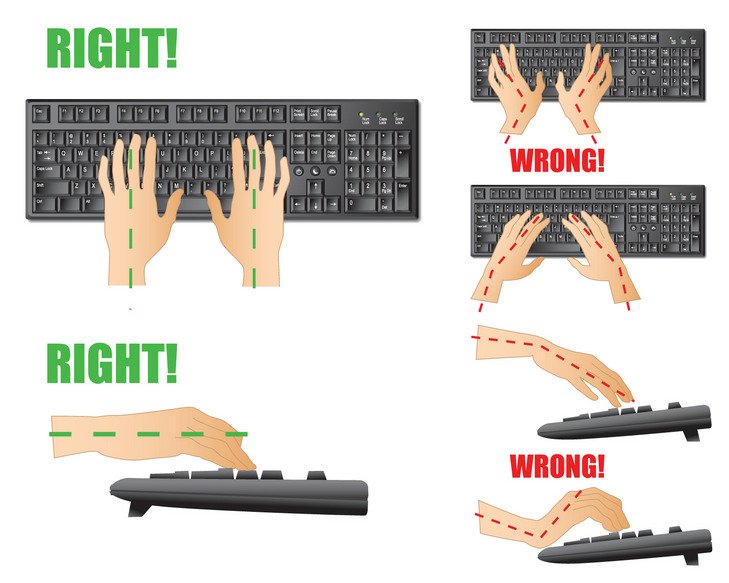
A standard keyboard forces the wrists to angle slightly outwards (with the fingertips pointing outwards), which rotates the shoulders inwards. This puts pressure on the forearms and wrists and can lead to wrist injury.
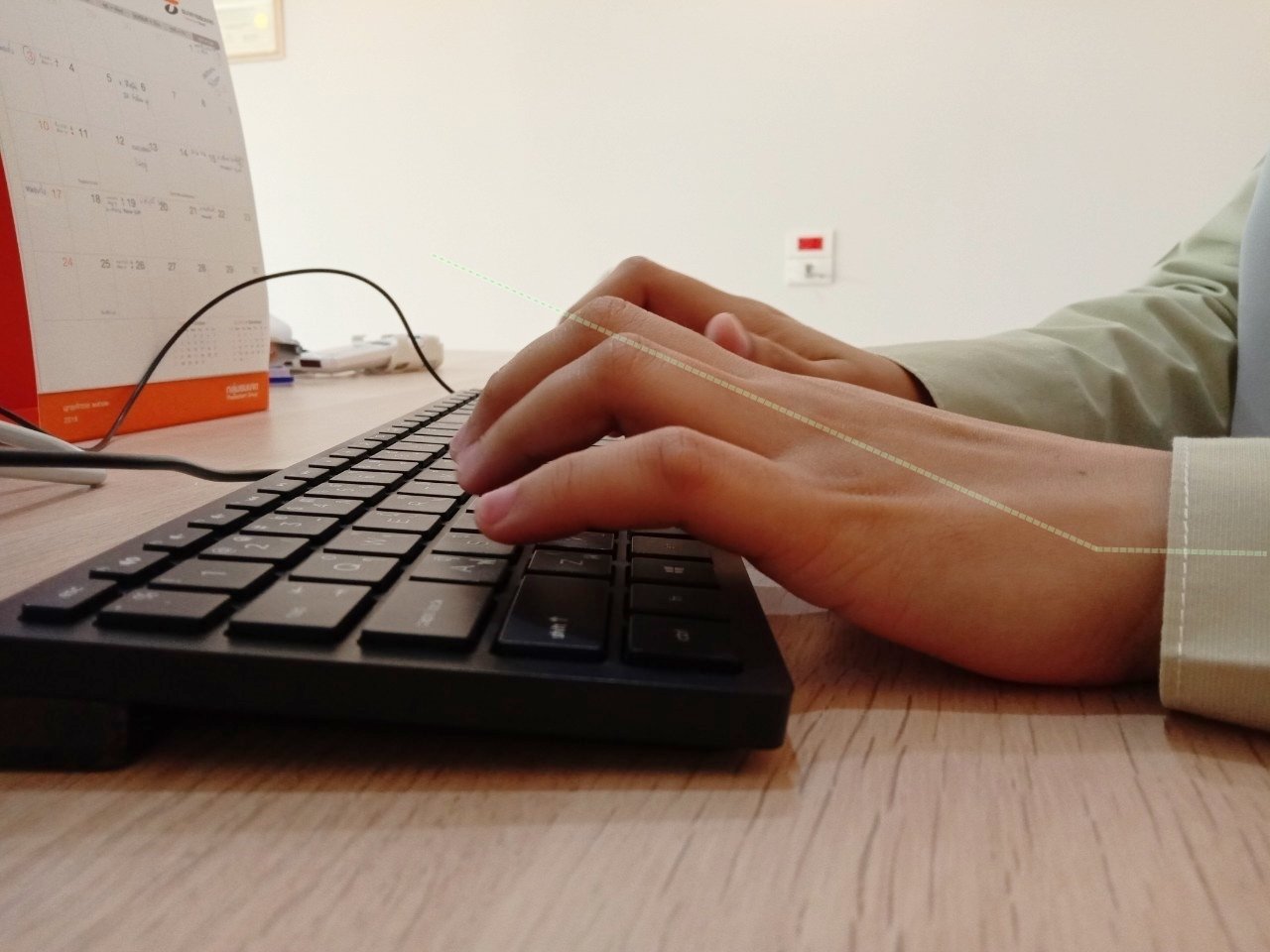
So we should place a rolled-up towel under the wrists to keep them in a normal alignment and reduce pressure on the wrists.
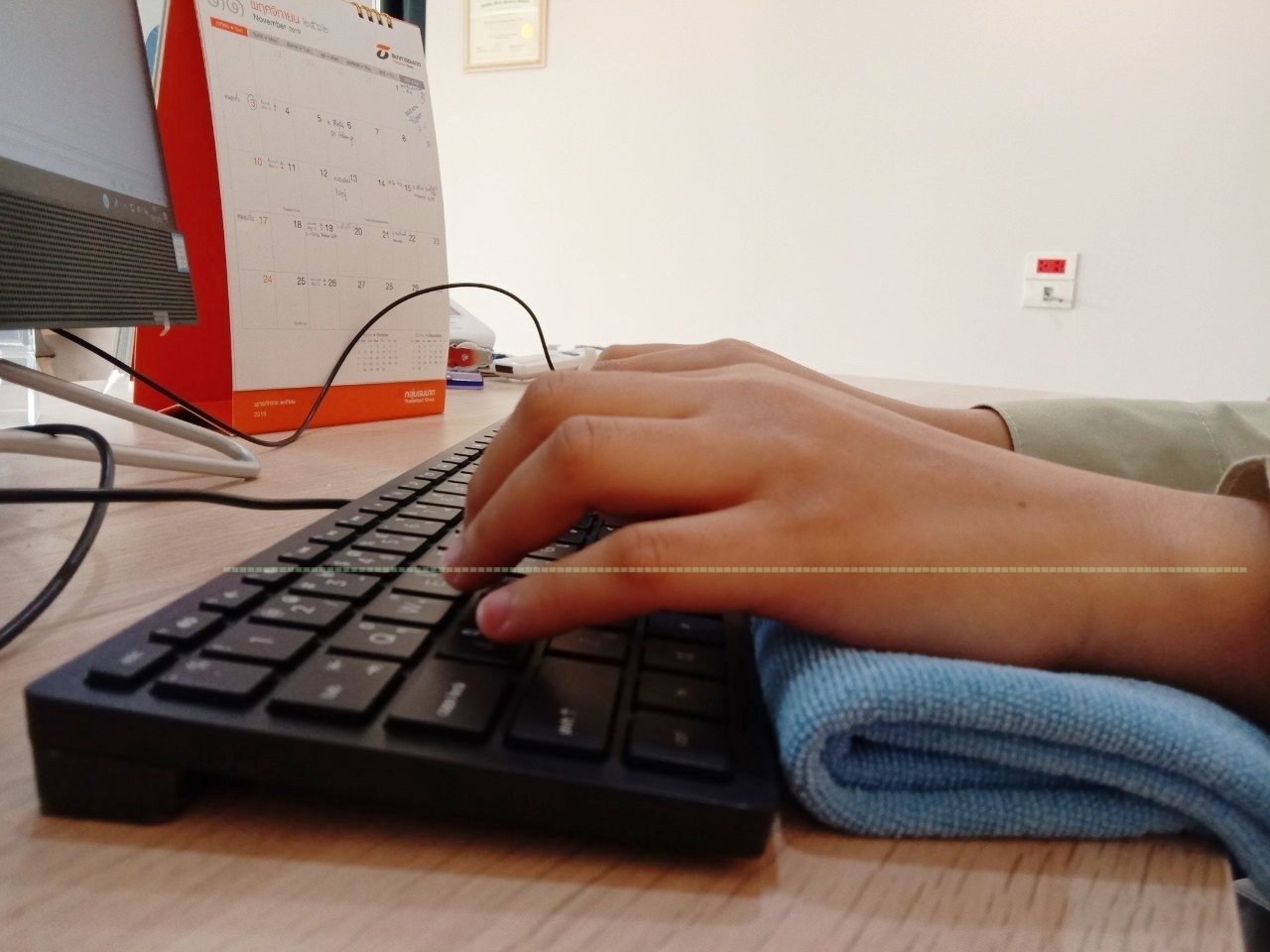
Once you have adjusted your mouse and keyboard, do the following
1. Rest: take breaks. Remember that your body always needs rest. We recommend setting a timer every 45 minutes to 1 hour and taking a 5–10 minute break.
2. Stretch&Strength: to relax the muscles and work more efficiently, do the following.
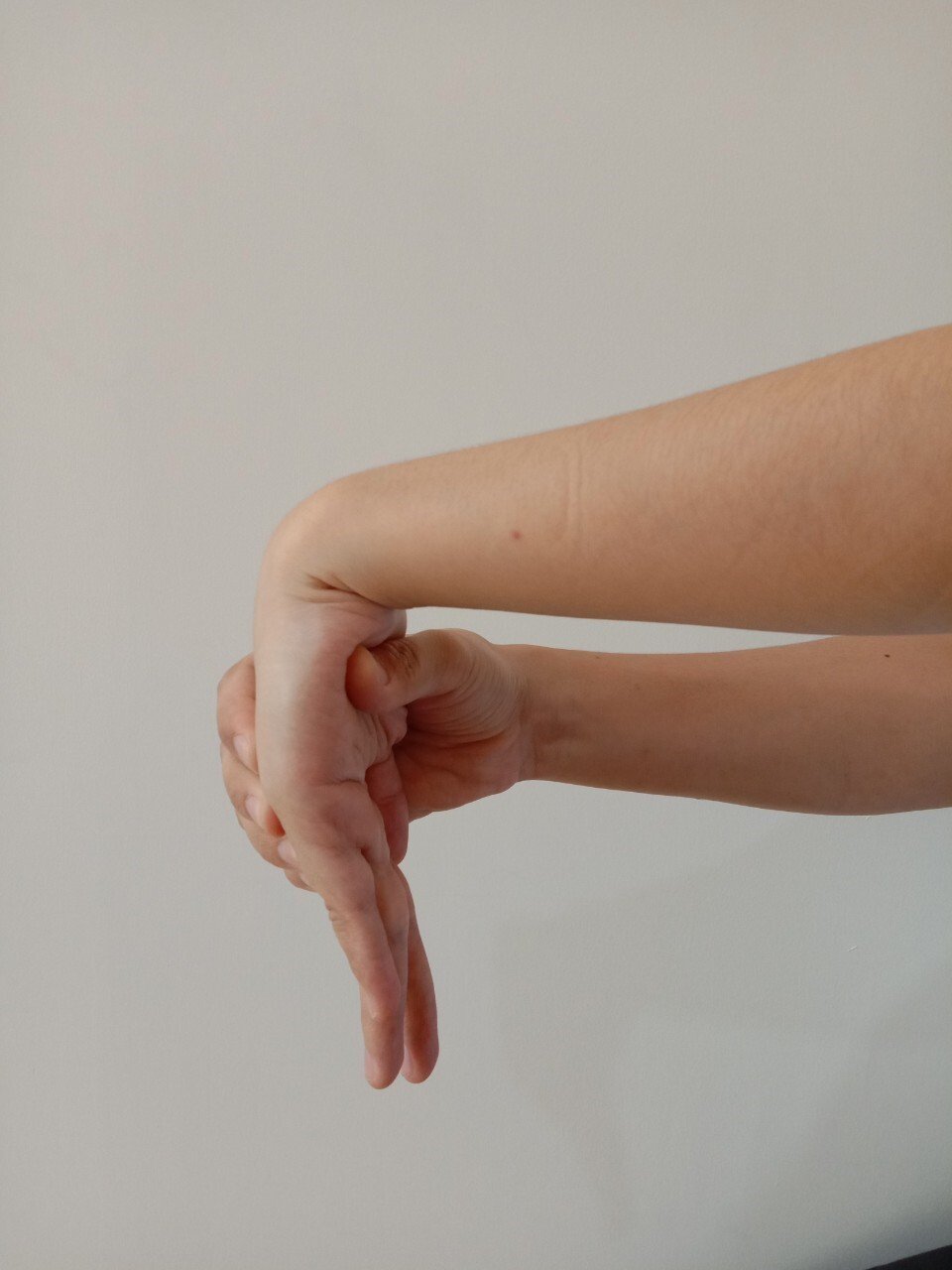
2.1 Inner forearm stretch
How to do it: straighten your elbow fully and bend your wrist upwards. Use your other hand to push the hand towards your body until you feel a stretch, but no pain. Hold for 15 seconds. Repeat 3–5 times. Then switch sides.
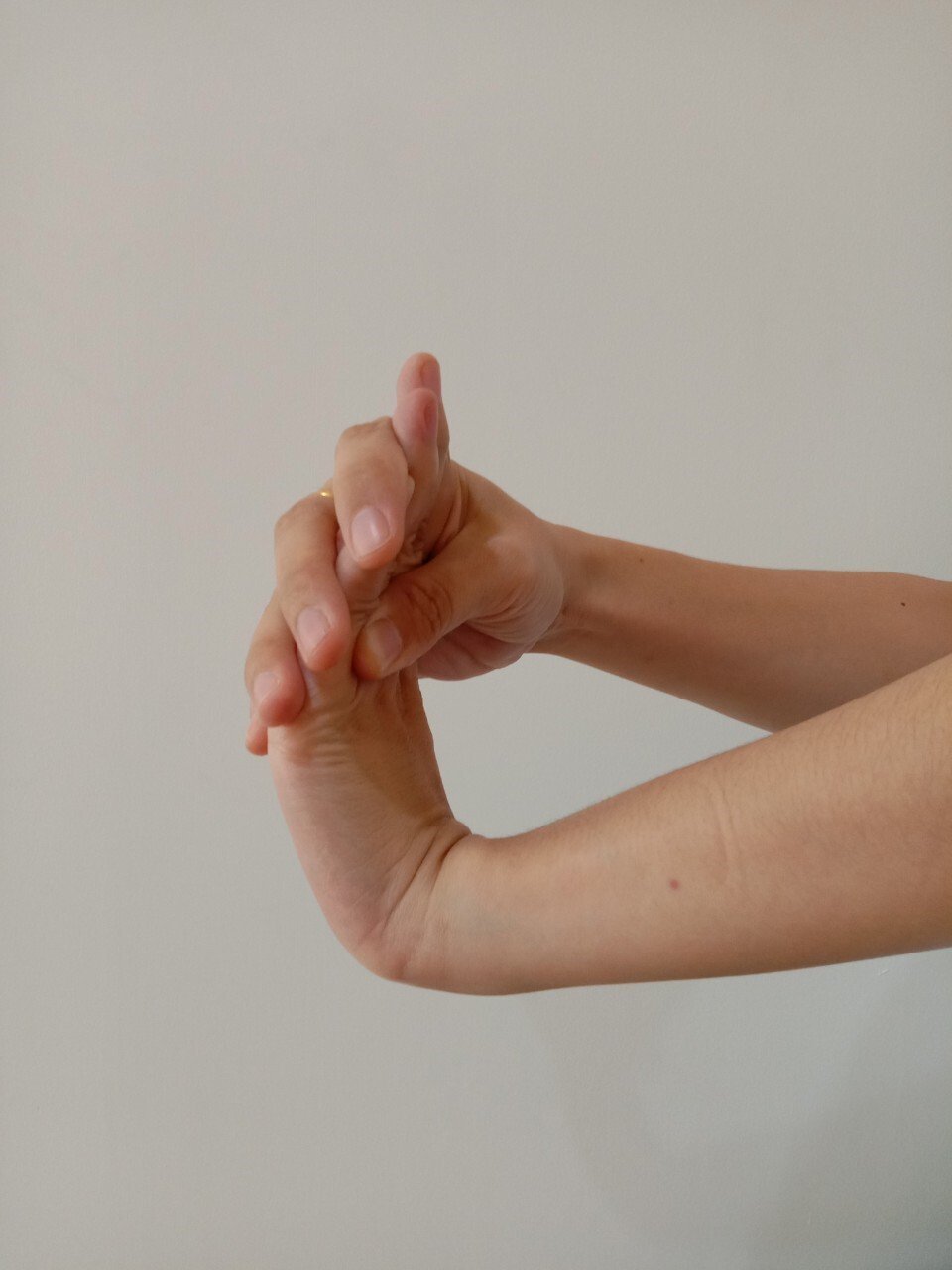
2.2 Outer forearm stretch
How to do it: straighten your elbow fully, turn your palm down and bend your wrist downwards. Use your other hand to push the hand towards your body until you feel a stretch, but no pain. Hold for 15 seconds. Repeat 3–5 times. Then switch sides.
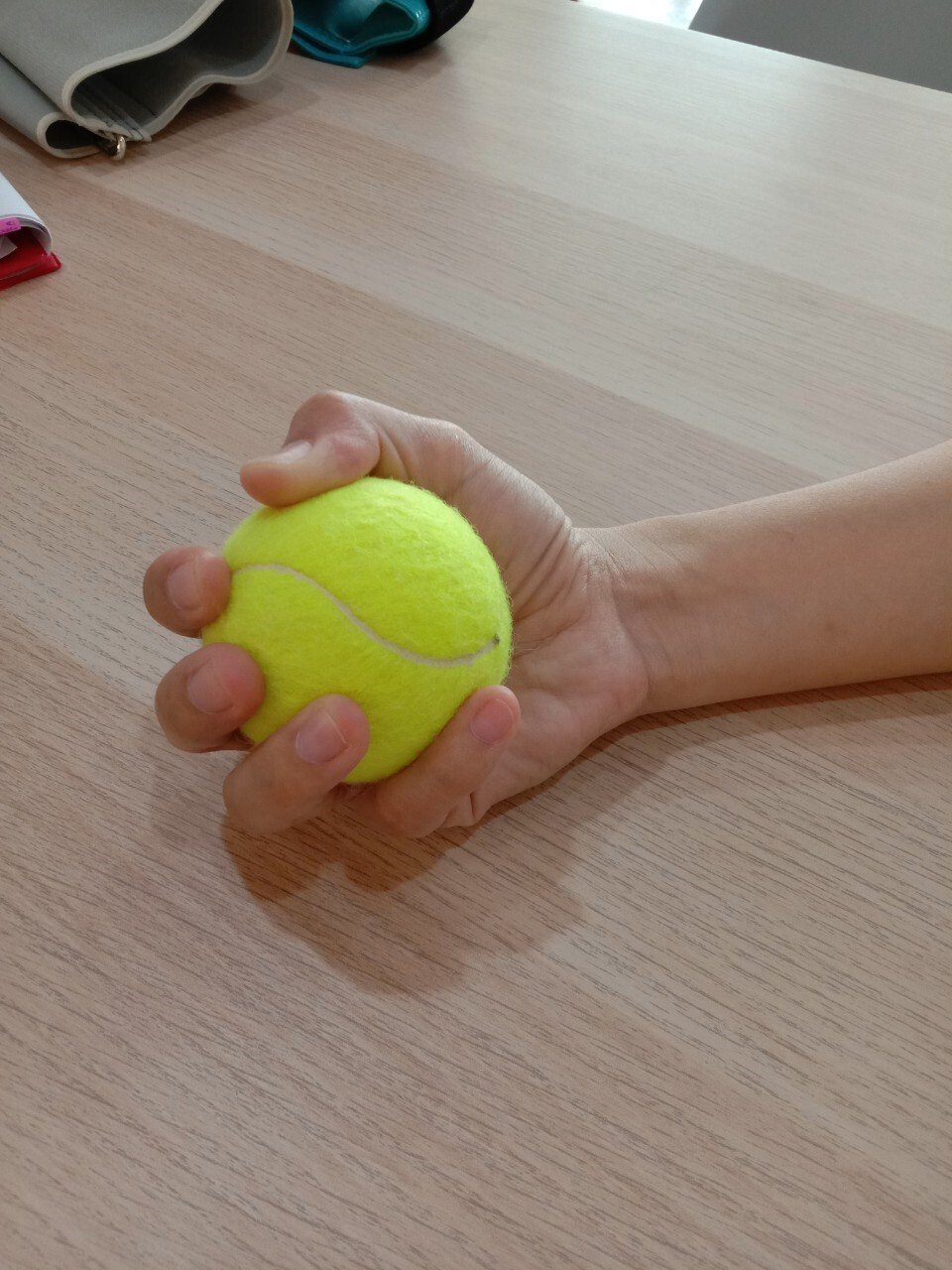
2.3 Hand squeeze
How to do it: squeeze a ball and release. Do 15 repetitions per set, 3 sets a day. Then switch sides.
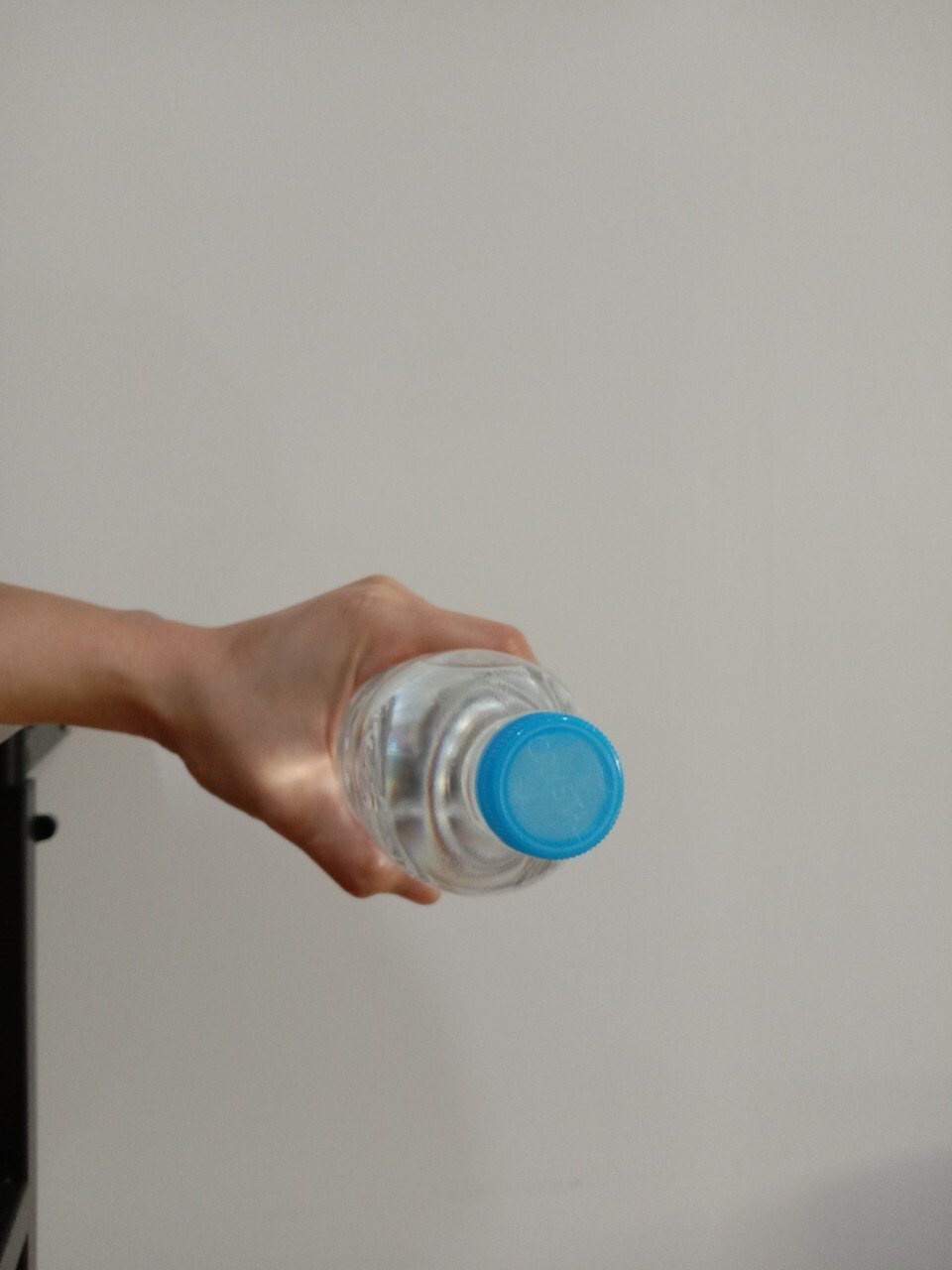
2.4 Palm-down wrist lift
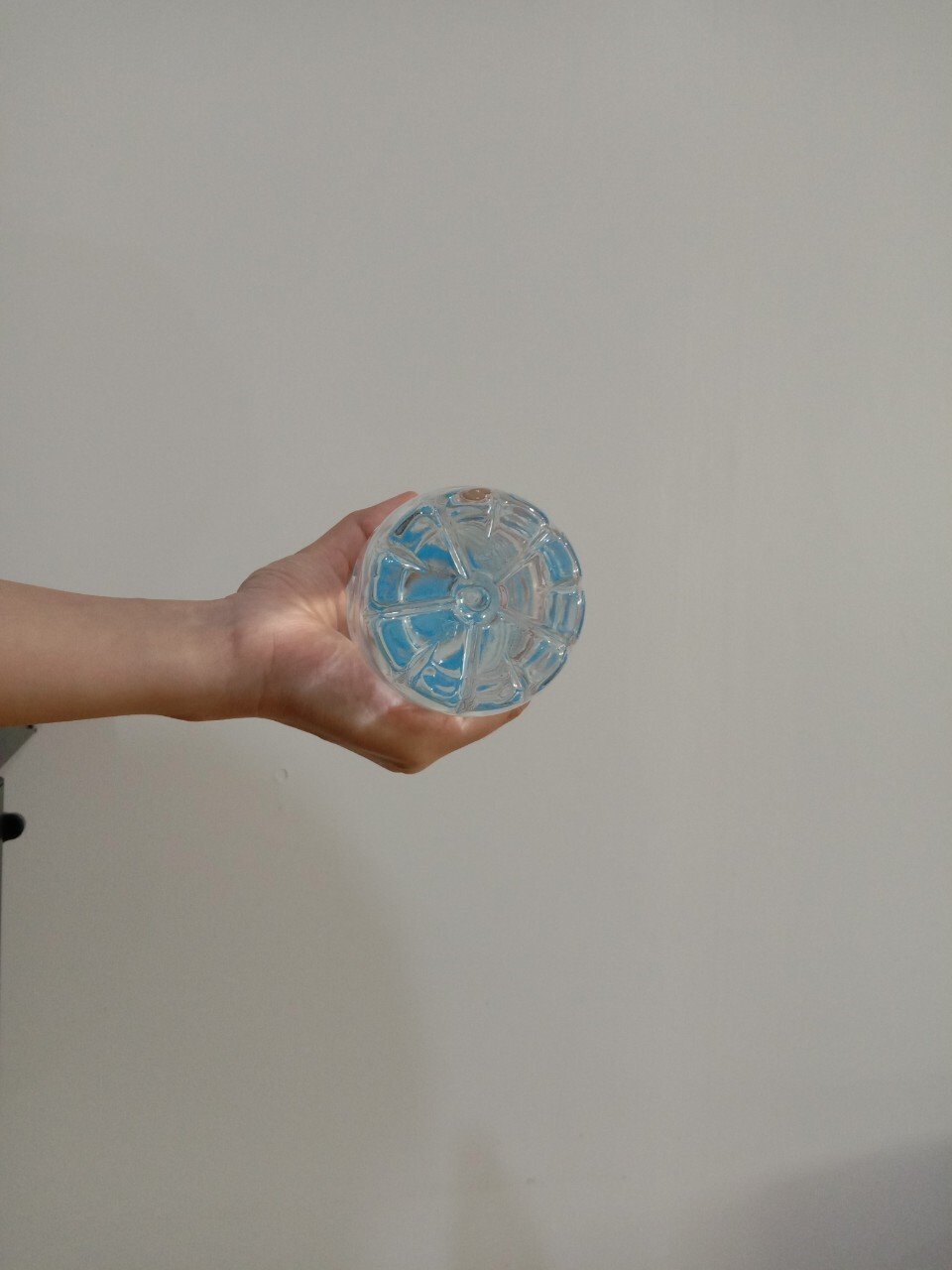
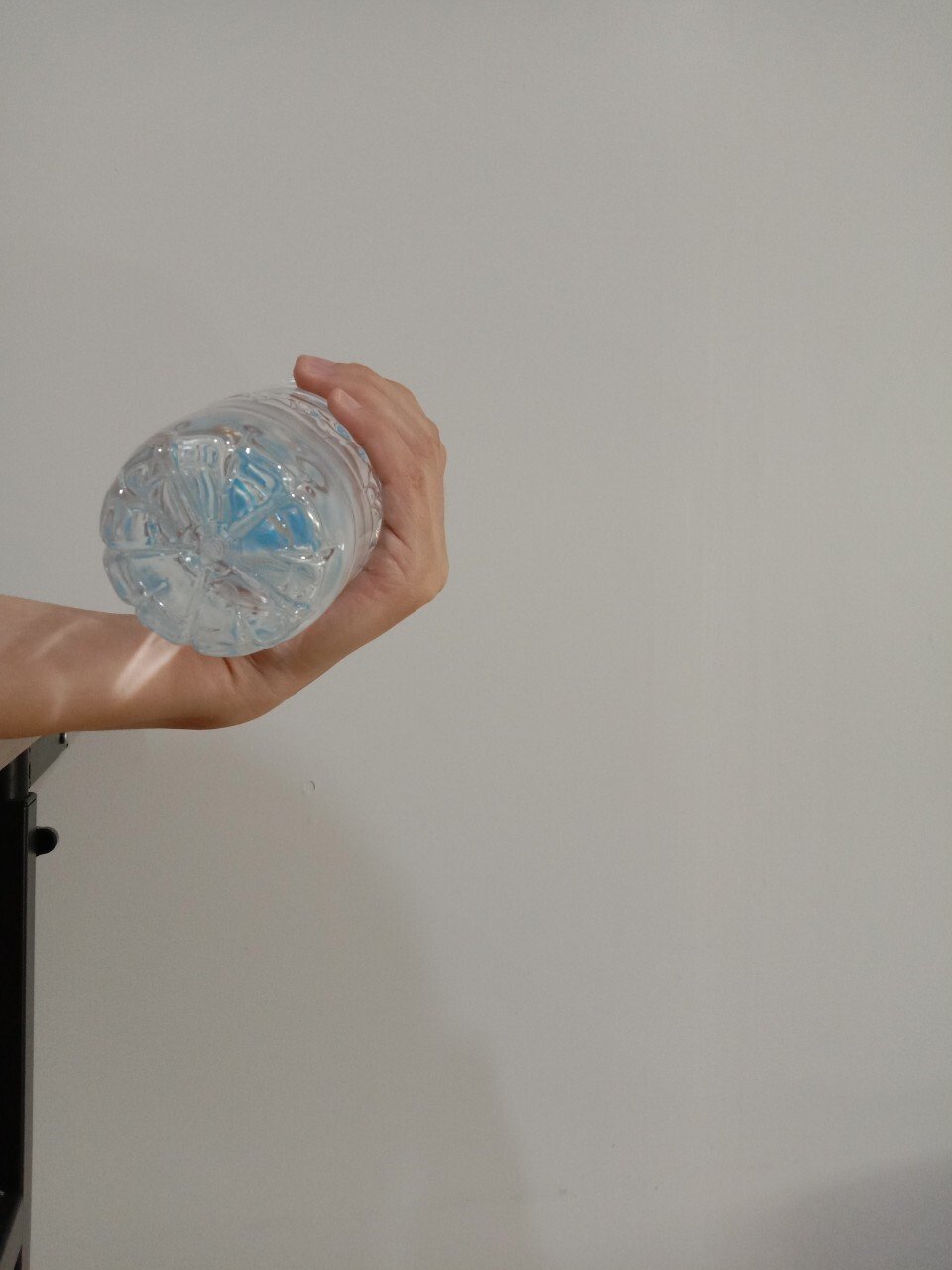
How to do it: rest your arm on a table, palm down, with your hand extending slightly over the edge. Hold a water bottle and slowly bend your wrist upwards (like revving a motorbike). Do 15 repetitions per set, 3 sets a day. Then switch sides.
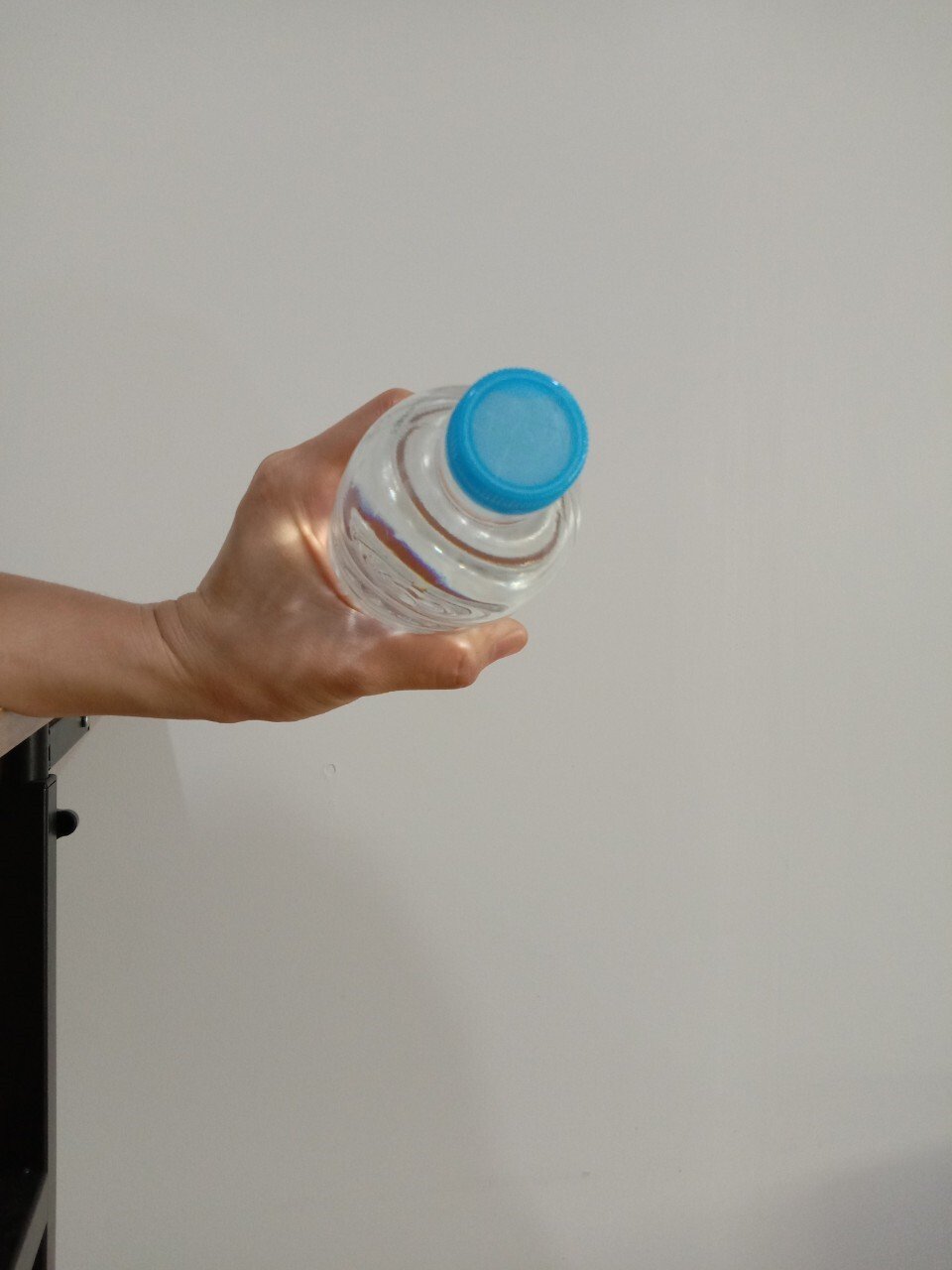
2.5 Palm-up wrist lift
How to do it: rest your arm on a table, palm up, with your hand extending slightly over the edge. Hold a water bottle and slowly bend your wrist upwards. Do 15 repetitions per set, 3 sets a day. Then switch sides.
In any case, if you have pain or numbness, you should see a doctor and a physical therapist to assess the cause and receive appropriate treatment.
For more information, contact "Rehab Care Clinic"
Address: 423 Phetkasem Road, Bang Wa, Phasi Charoen, Bangkok (inside Kanari Sports Center, before Seacon Bangkae) ? 061-801-2482 Line ID: @rehabcare

Information provided by
Dr. Apiporn Garnjanagoonchorn (Dr. Ann)
Rehabilitation physician