

How to sit without pain
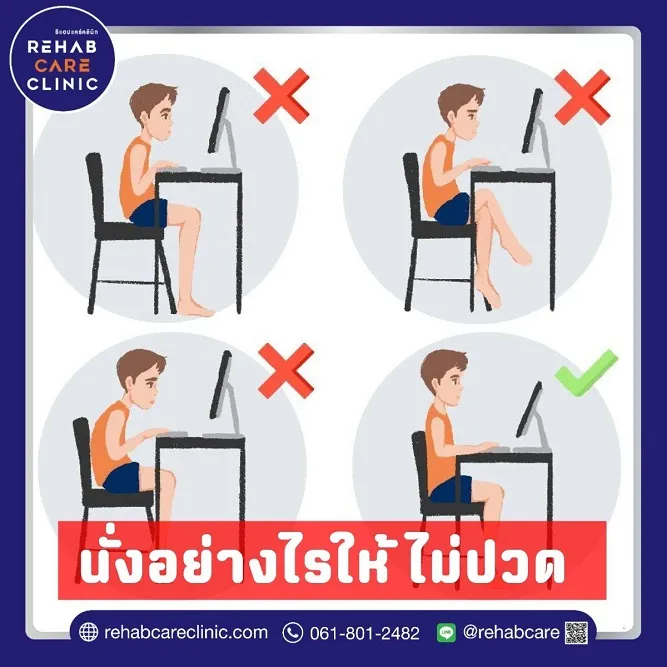
Do you get neck and shoulder pain or lower back pain from sitting at work? Simply adjusting the way you sit at work can reduce this pain. Let's look at how to adjust the way you sit at work to reduce pain.
1. Your work chair should be adjustable. Adjust it so that your elbows are level with the desk and your hands can rest on the keyboard, and use a cushion to support your back to reduce tension in the shoulder muscles, elbows and lower back.
2. Your feet should rest flat on the floor. If the chair is high and your feet are dangling, fix this by putting a box or a ream of paper under your feet so that they can rest flat.
3. Your computer screen should be placed one arm's length away from you. Another tip is that the top edge of the screen should be at eye level, so you do not have to bend your head down or tilt it up, which tenses your neck and shoulder muscles.
4. Your keyboard and mouse should not be placed far away from you. Keep them close so your muscles do not have to work too hard. If you use a laptop, you may need an additional keyboard and mouse, and you should have a silicone wrist rest where you hold the mouse to prevent the nerve at the wrist from being compressed by fibrous tissue.
Even after setting up the way you sit at work to reduce pain, don't forget to move around and stretch so your muscles and eyes can relax after every 15–20 minutes of sitting at work.
You can contact Rehab Care Clinic for advice on your health problems from our rehabilitation physicians and specialist physical therapists.
For more information, contact "Rehab Care Clinic"
Address: 423 Phetkasem Road, Bang Wa, Phasi Charoen, Bangkok (inside Kanari Sports Center, before Seacon Bang Khae) ? 061-801-2482 Line ID : @rehabcare

Information provided by
Dr. Apiporn Garnjanagoonchorn (Dr. Ann)
Rehabilitation physician